Rolling release feature highlight: Faster photo viewing in the Preview app
If you have a lot of images in a folder, you'll be familiar with this: the preview jerks when you click through quickly and the browser slows down. With the current rolling release, we are improving the photo view in the Preview app: faster loading times, optimised image resolutions and sorting that corresponds to the Files app.

Faster photo overview
The photo view now loads noticeably faster thanks to modern skeleton loaders. These ensure that the view responds immediately, even before all images are fully loaded. In addition, image resolutions have been optimised so that less memory is required and the browser has to work less. This is particularly useful for large collections.
In order to conserve resources, only directly neighbouring images are preloaded. At the same time, unnecessary requests are automatically cancelled if you click on them quickly. This reduces load peaks and ensures more stable behaviour.
Photo roll navigation in the preview
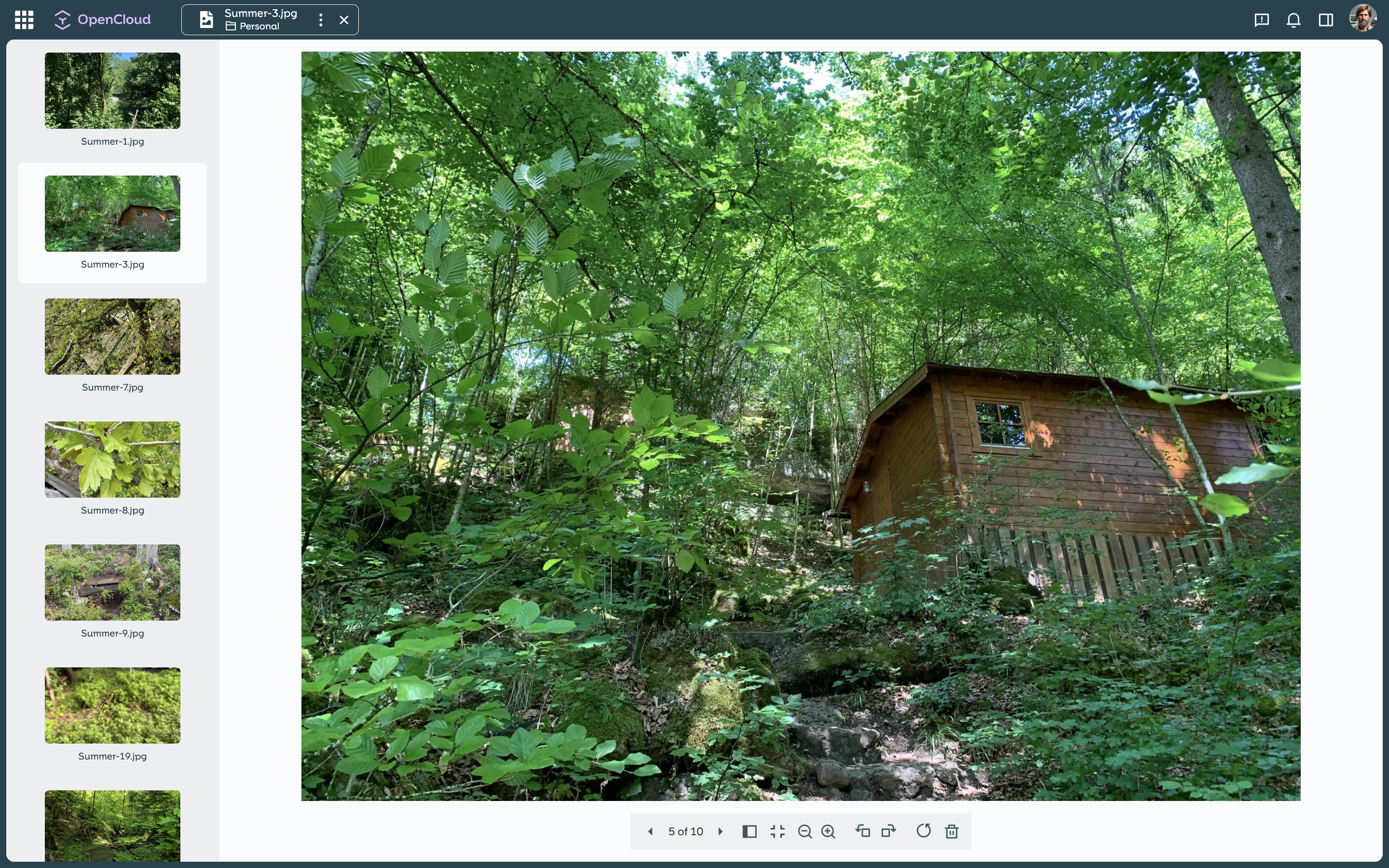
In addition, there is now photo roll navigation: previewable files are displayed as thumbnails in the left-hand column. This allows you to quickly switch between files without leaving the preview. The currently selected element is highlighted and automatically kept in the visible area. This simplifies navigation in folders with many files.
Same sorting as in the Files app
The Preview app now uses the same sorting as the Files app. This means that the order of images remains consistent and traceable at all times, regardless of whether you are working in the folder or directly in the preview.
The result is a faster, more stable and more intuitive photo view that remains performant even with large photo collections.
Find out more about the rolling release here.


